


As a User, I want to create a Space for the first time so that I can begin adding knowledge, structuring my space and inviting members.
Acceptance criteria
Ways to create site:
User arrives from the marketing site (hypermedia) and clicks "Create Site"
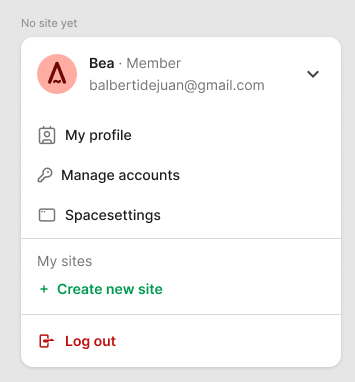
User opens the avatar menu on any site — whether logged in or not — and clicks "Create Site"
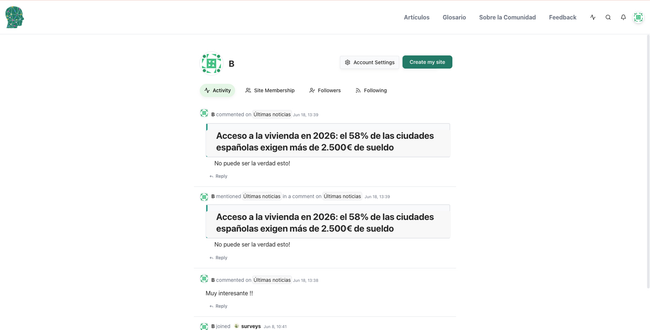
User is signed in, navigates to "My Profile," and clicks the "Create Site" button
User names the space with maximum of characters and decides if the space is public or private (in the future)
Identity elements:
User have the option to add a cover image, a logo and a favicon . User can skip this step and do it later in space settings accesible from the avatar dropdown.
If user does not add a logo, the name of the space will be added on the header's logo area.
If user does not add a cover or a favicon, will simply not appear.
Navigation & Appearance step:
On the create site flow, the admin sets global options (show publication tabs, show publication date, etc.)
Admin does it here and applies to all documents, instead of configuring each document individually, keeping all documents consistent.
As a result, we can remove "document settings" from the 3-dot menu.
First time landing / next steps:
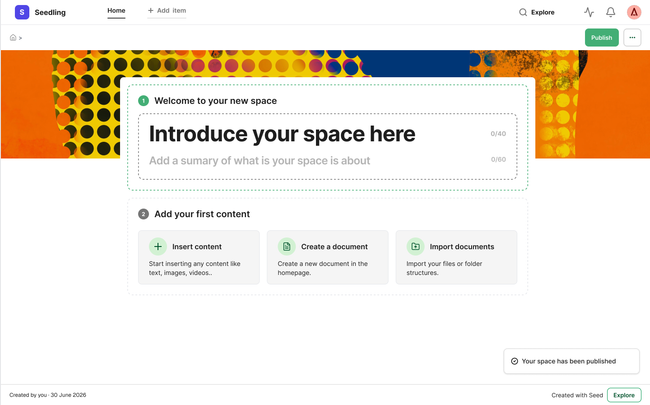
User lands in the home page after the space is created. A success toast is shown confirming it.
The homepage is empty with indicators on how to start (Introducing space, Insert content, importing...)
Publish trigger
The Publish action (and associated account creation prompt) is triggered only after the user has made at least one meaningful edit to their space (e.g. filled in the title, description, or added a content block), not before they've previewed their work on the live canvas.
Card disappear once one of them is completed
Create account and domain flow
When user clicks publish, create account + domain flow happened → ⚠️As an admin, I want to publish my website with a free Hypermedia URL
Navigation items (header):
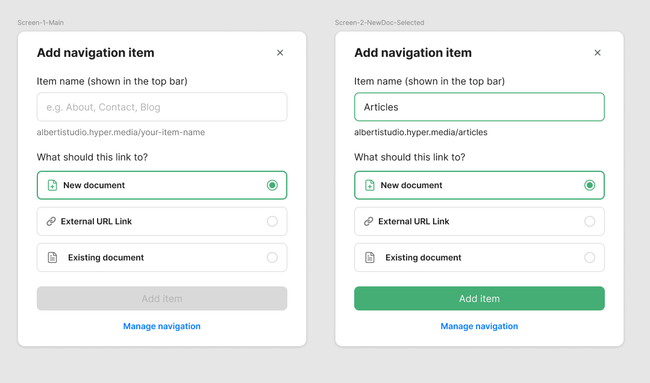
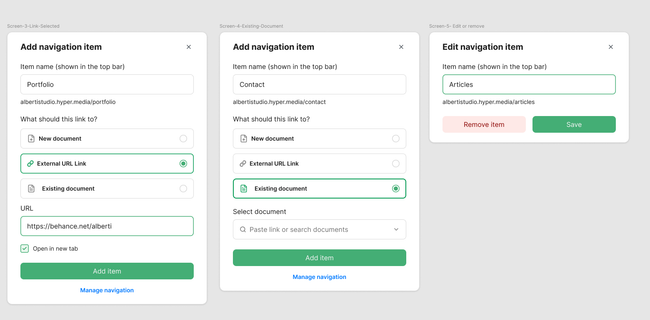
When user is creating the items of navigation, he can just add a name and then the parent document will be open to start adding the content.
User also can add a link to it or connect it to an existing document.
All these option will appear on the dialog when user clicks add item.
Editor may remove the item by clicking it and open the dialog again, a remove option will appear.
Editor will edit navigation organization in space settings. This new logic of item creation also applies to space settings. I'll update the US.
Invite collaborators trigger
Invite members prompt appears once after successful publish, is dismissible in one click, and does not resurface until the user visits settings.
Design
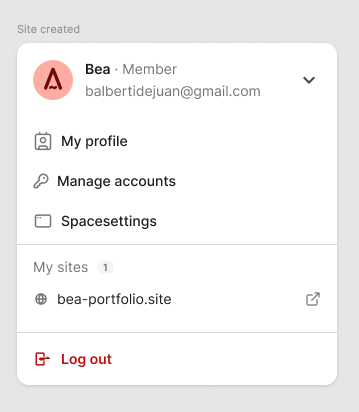
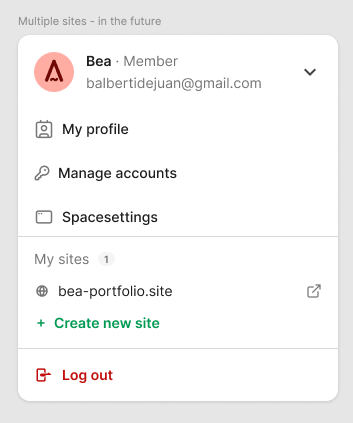
Create site on avatar dropdown.
In browser, user will create a site and access her site from the avatar dropdown.
Create site from profile:
First time landing / next steps: on boarding concept
Create navigation items for the header:

Do you like what you are reading? Subscribe to receive updates.
Unsubscribe anytime