

As an admin, I want to manage who has access to my space, so that I can control who sees and contributes to my content at a granular level.
Acceptance criteria
Access management is granular, from space to specific document or group of documents
Access to the whole space ➡ from space settings
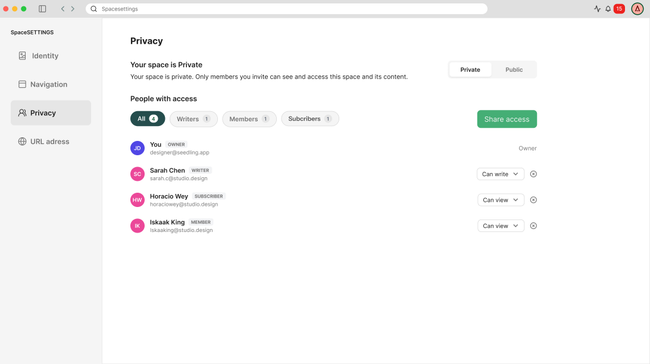
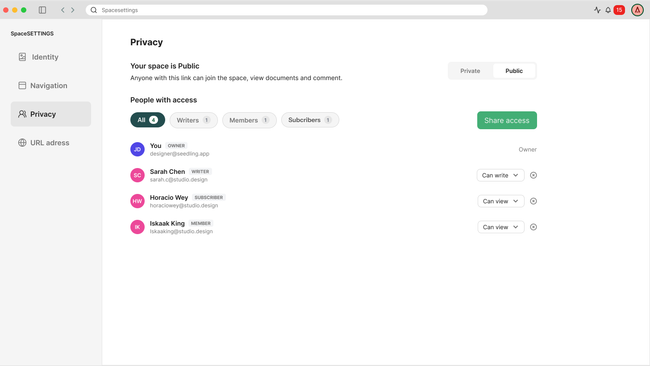
The Privacy section in Space Settings shows the current space visibility (Private or Public) with a toggle to switch between them.
The subtitle updates to reflect the active mode — Private: "Only invited people can access this space and its content." / Public: "This space is visible to everyone. All content is public by default."
The member list shows all people with access, filterable by role (All, Writers, Members, Subscribers).
Admins can change roles and remove access.
Writer can change roles and remove access except the admin.
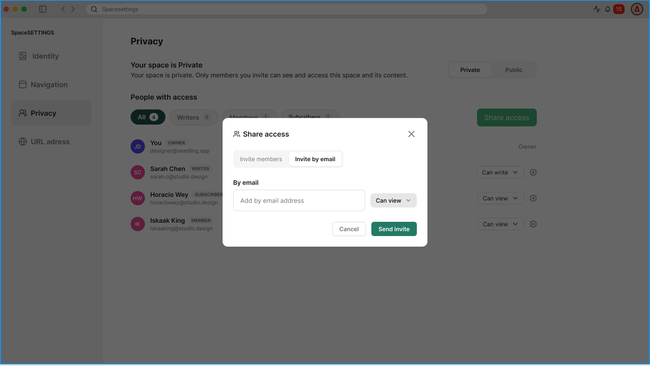
Private spaces only allow inviting by email — no link sharing. First stage by inviting existing members BUT email is the final solution.
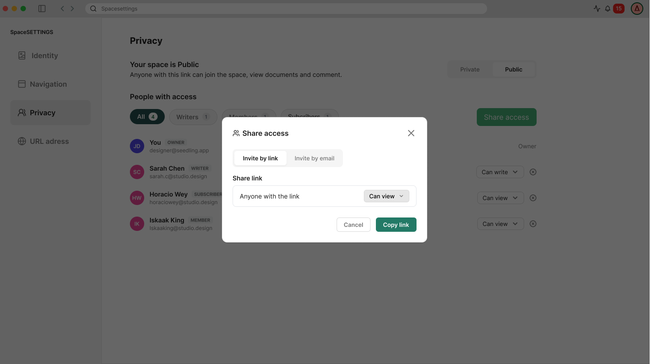
Public spaces allow inviting by email and by link.
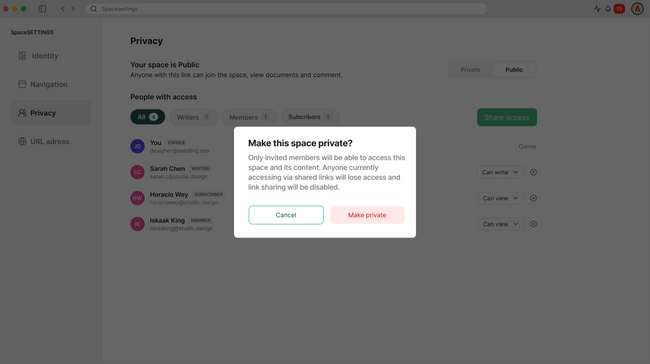
Switching from Public to Private revokes access for non-invited users and disables link sharing.
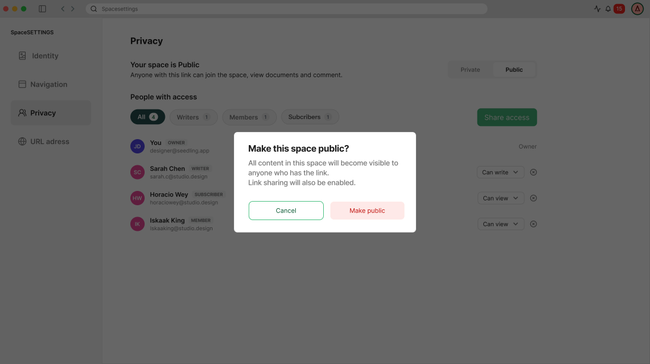
Switching from Private to Public makes all content visible — admin is warned before confirming.
Design
Space is Private ➡ Invitation will be only by email (final solution) - looking for existing users (current solution).
Space is Public ➡ Invitation will be by email or by link.
User switches the toggle between private or public ➡ Dialog warning before switching
Do you like what you are reading? Subscribe to receive updates.
Unsubscribe anytime